
The first time you open a video editing app, it can feel like you have landed in the wrong place. There is a timeline full of little boxes, several buttons on the screen, audio tracks, text tools, filters, transitions, and settings that seem to have their own language.
If you have never Video Editing before, it is completely normal to feel confused.
The good part is that you don’t have to understand all of those options before making your first video. In fact, trying to learn everything at once usually makes editing harder than it needs to be.
Start with the things you actually need.
You need to know how to bring your clips into the project, put them in order, cut away parts you don’t want, fix the sound, and save the finished video. Once you can do those things without constantly searching for help, you can start exploring other features.
This is especially useful if you are making videos for Instagram, YouTube, a personal page, a small business, or even just for your own memories. A phone and a simple editing app are enough to start practicing.
Here are some practical Video Editing tips that can make the learning process easier.
Decide What the Video Is About
Before you start moving clips around, think about the point of the video.
It can be something very simple.
Maybe you recorded a day out with friends and want to turn the clips into a short memory. Maybe you filmed yourself making a recipe. Perhaps you have a few clips from a trip and want to create a Reel.
Knowing this beforehand gives you a rough direction.
For a travel video, you might want to show the journey, the place you visited, a few details from the day, and your favorite moment. You don’t necessarily need every road, every meal, and every photograph.
The clearer the idea, the easier it becomes to decide what belongs in the final video.
Look Through Everything Before You Start Cutting in Video Editing
It is tempting to open the editor and immediately begin dragging clips onto the timeline. Sometimes that works, but looking through your footage first can save you time.
Play your clips one by one.
You may discover that some are too shaky, some have accidental recordings, and some are almost identical. There may also be a few surprisingly good moments that you had forgotten about.
If you recorded the same scene several times, don’t worry about keeping all of them. Make a mental note of the version you like and use that one.
For a bigger project, keeping your files organized can help too. Put videos, photos, voice recordings, and music somewhere you can find them easily.
It sounds boring, but searching through a messy folder while you are already in the middle of editing is much more frustrating.
Be Selective With Your Footage
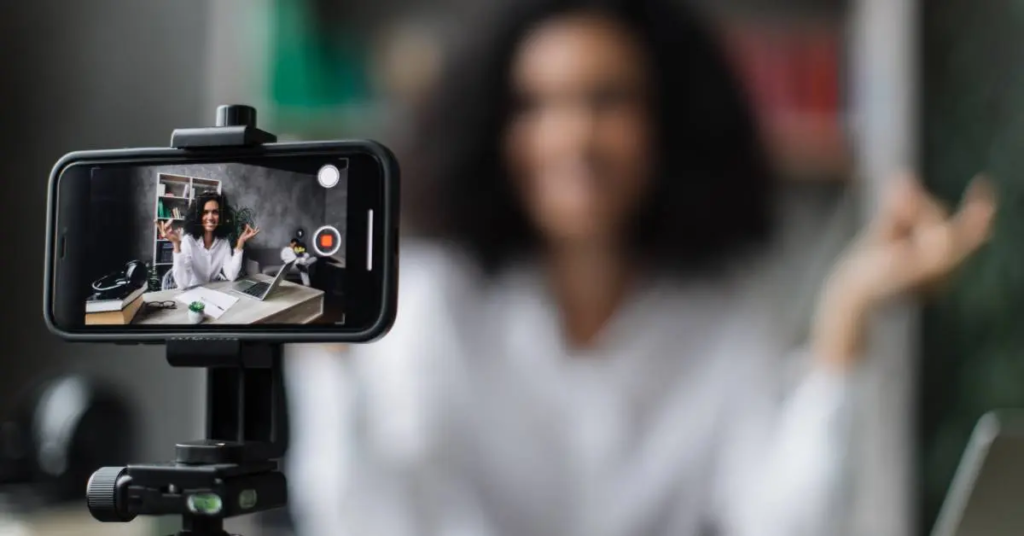
One thing new editors often struggle with is letting go of clips.
You spent time recording them, so naturally you may feel that they should appear in the finished video. But recording something and using it are two different things.
Suppose you filmed four similar shots of a sunset. You probably only need one or two.
The same applies to talking videos. If you stopped in the middle of a sentence, repeated yourself, or spent several seconds thinking about what to say, that part may not need to stay.
The viewer doesn’t know what happened behind the scenes. They only see the finished version.
So don’t be afraid to remove things.
Sometimes a video becomes better simply because you took a few unnecessary clips out.
Spend Some Time With the Timeline
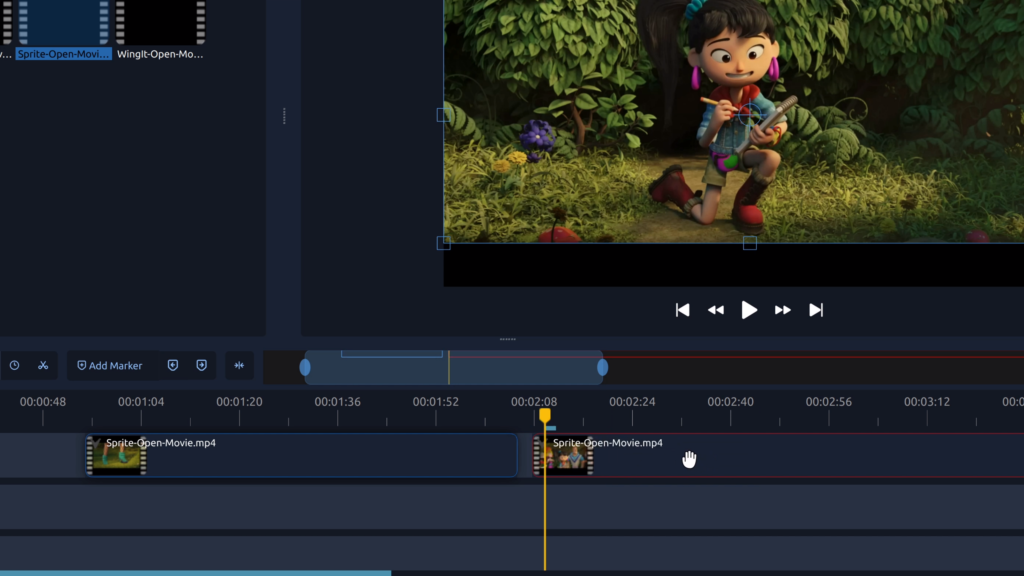
The timeline is where most of the actual editing happens.
At first, it may look like a collection of tiny boxes that don’t make much sense. Give yourself some time to play around with it.
Put a clip on the timeline. Move it. Shorten it. Split it into two pieces. Delete one piece and undo the change.
Then add another clip.
You are not trying to make a masterpiece during this exercise. You are simply learning how the editor responds when you make changes.
After a little practice, moving clips around starts to feel much more natural.
You don’t need to memorize every tool in the app. Learn the few things you use repeatedly and build from there.
Remove the Parts Where Nothing Is Happening in Video Editing
A lot of raw footage contains waiting time.
Maybe you press record and then take a moment to get ready. Maybe you walk toward the camera before doing what you actually wanted to record. Maybe there is a long pause between two sentences.
These moments may seem harmless when you watch the original footage, but they can make the finished video feel slow.
Try cutting them.
For example, if you are explaining something and take three seconds to think before saying the next sentence, you may be able to remove most of that pause.
Don’t worry about making every cut extremely fast. The idea is simply to remove parts that don’t contribute anything.
Don’t Feel Like Every Scene Needs an Effect in Video Editing
There is a strange temptation when you first start editing.
You see transitions and effects in the app, and because they are there, you want to try them.
That’s fine while you are learning. Experimenting is how you discover what the tools do.
But when you are making the final video, you don’t need to use every effect you found.
A straightforward cut can be perfectly good.
Imagine someone talking about a product. They finish a sentence, and the video changes to a close-up of that product. A normal cut may look completely natural.
You don’t need the screen to spin, flash, or zoom between those two shots.
Use Transitions With a Reason
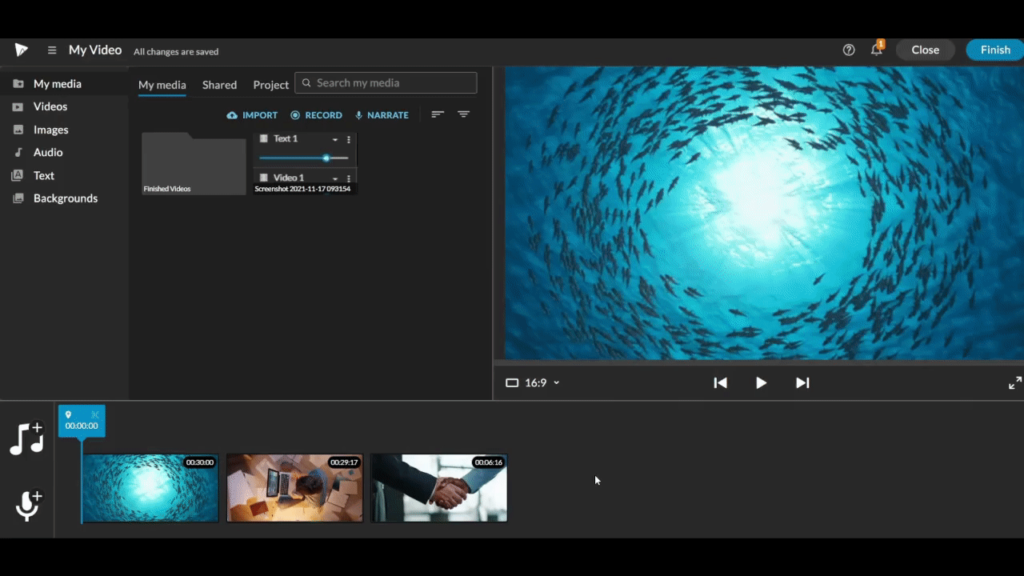
Transitions aren’t bad. They simply work better when there is a reason for using them.
A soft fade can work between two different parts of a story. A quick transition may suit a fast montage. A simple cut might work better for a tutorial.
The mistake is using a different transition after every clip.
When too many transitions appear together, the viewer may start noticing the editing instead of the content.
Try watching your video once with all the transitions and then again with fewer of them. You may be surprised by how much cleaner the second version feels.
Give Audio the Attention It Deserves in Video Editing
A video can look beautiful and still be difficult to watch if the sound is poor.
If someone is speaking, their voice should be easy to understand. Background music should stay in the background instead of competing with the speech.
Listen carefully for sudden changes too.
Perhaps one clip was recorded indoors and another outdoors. The volume or background noise may be noticeably different. You might need to adjust the levels so the change doesn’t feel too sudden.
Headphones can help you notice small audio problems that you might miss through your phone speaker.
And remember that good audio doesn’t always require expensive equipment. Careful recording and simple editing can already make a noticeable difference.
Choose Music That Fits the Mood
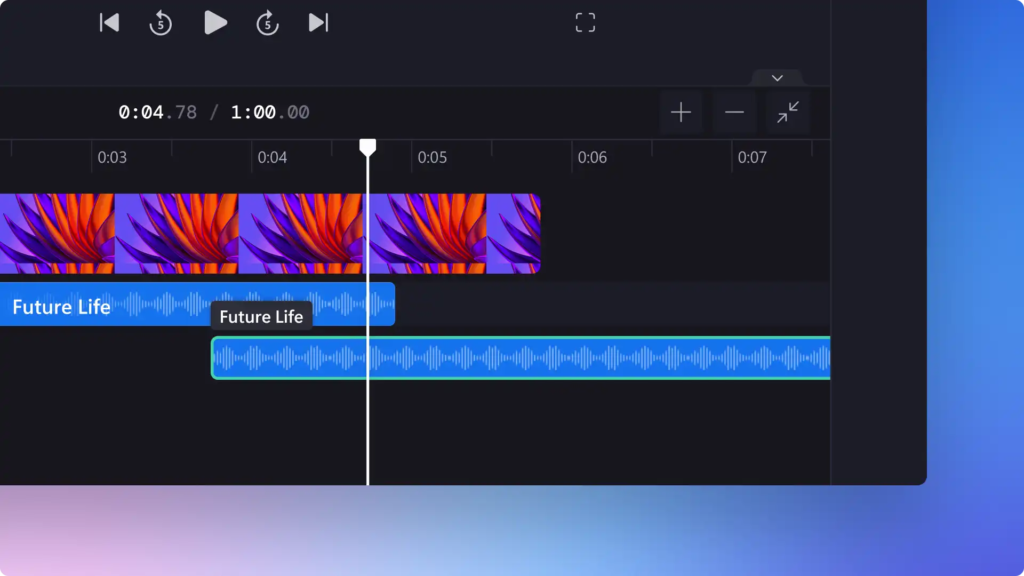
Music is one of those things that can completely change a video.
A peaceful track can make a quiet travel video feel relaxed. Something faster can give a montage more energy.
Think about the mood of the footage before choosing the music.
Also consider the volume. If there is talking in the video, lower the music enough that the words remain clear.
Most importantly, use music that you are permitted to use. This becomes particularly important when you are publishing videos publicly or creating content for a business.
Try Speed Changes When They Actually Help in Video Editing
Speed controls can be useful for certain parts of a video.
For example, imagine you are filming a long process. Showing every second might make the video unnecessarily long, so you can speed up that section.
On the other hand, you might slow down a short moment that you want viewers to notice.
The important part is not to change the speed randomly.
If the speed change has no connection to what is happening, it can feel distracting. Use it when it helps the viewer understand the scene or keeps the video moving.
Add B-Roll to Break Up Repetitive Shots
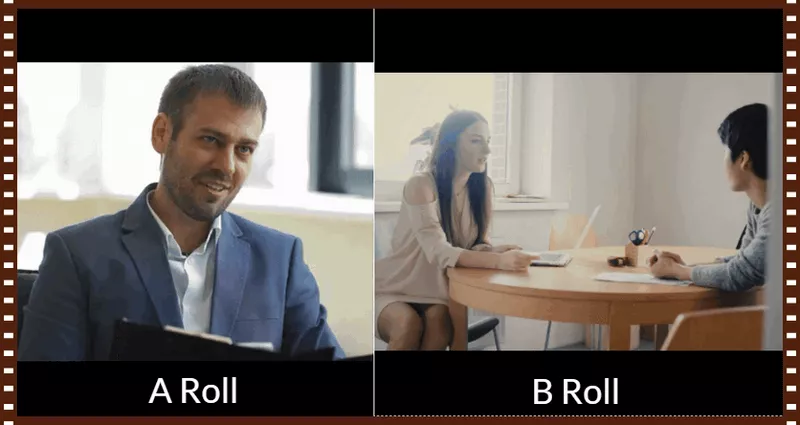
B-roll is simply additional footage that supports the main video.
Let’s say you are talking about a café. You could keep your face on screen while you describe it, but you could also show the café sign, the seating area, a drink being prepared, or a close-up of the food.
Your voice can continue while those clips play.
This makes the video more visually varied without changing what you are saying.
B-roll doesn’t have to be professionally filmed. Even simple phone footage can work if it is relevant to the subject.
Think About the Opening in Video Editing
The beginning deserves some attention because viewers can leave quickly if the video takes too long to get started.
This doesn’t mean every video needs a dramatic opening.
Sometimes the best opening is simply the most interesting part of the footage.
If you’re making a recipe video, you could briefly show the finished dish first. If you’re making a travel video, you might open with the best view from the trip.
Then you can move into the rest of the story.
Before finalizing the video, watch only the first few seconds. Ask yourself whether they give you a reason to continue watching.
Don’t Forget About the Ending in Video Editing
The last few seconds matter too.
A video that suddenly stops in the middle of a sentence or ends with an unrelated clip can feel unfinished.
You don’t need a long ending.
A finished recipe can end with the final dish. A tutorial can finish after the last step. A travel montage can close with a memorable view.
Even a simple ending feels better when it looks intentional.
Keep Fonts and Visual Choices Consistent in Video Editing
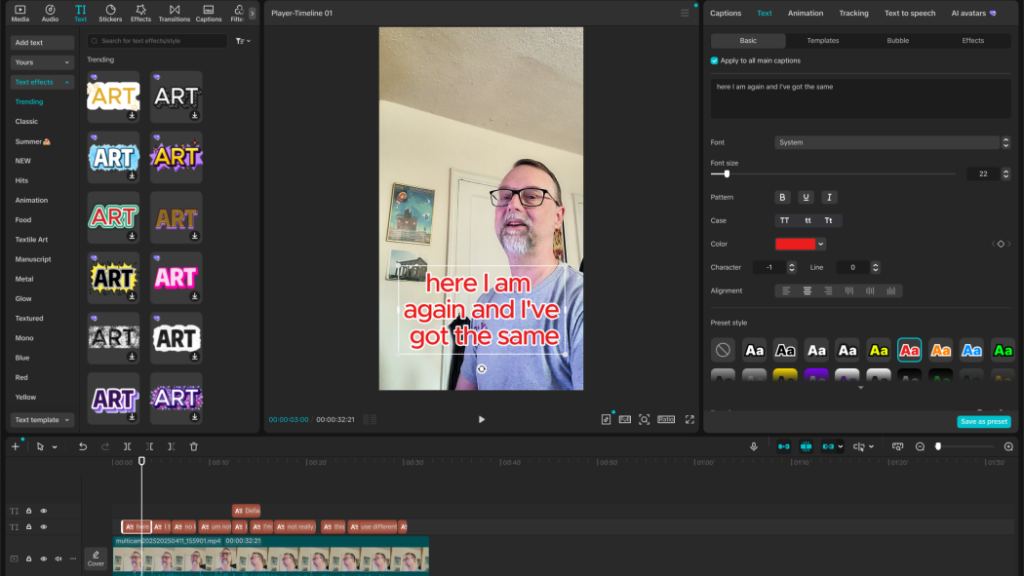
You don’t need to create a complicated visual identity for every video.
But if you are using text, try to keep the style reasonably consistent.
For example, if your main title uses one font and position, don’t randomly switch to five different fonts halfway through the video.
The same idea applies to colors, captions, and other visual elements.
Small differences are fine. The aim is simply to avoid making every part of the video look like it came from a different project.
Watch the Video From Beginning to End
When you edit, you usually focus on one small section at a time.
That’s why it is possible to finish a video and still miss obvious problems.
Once you think you’re done, stop editing for a moment and watch the whole thing.
You might notice that one shot feels too long. Maybe the music starts too suddenly. Perhaps there is a spelling mistake in the caption.
You may even realize that two clips would work better in a different order.
Watching the complete video gives you a completely different perspective.
Don’t Ignore Export Settings
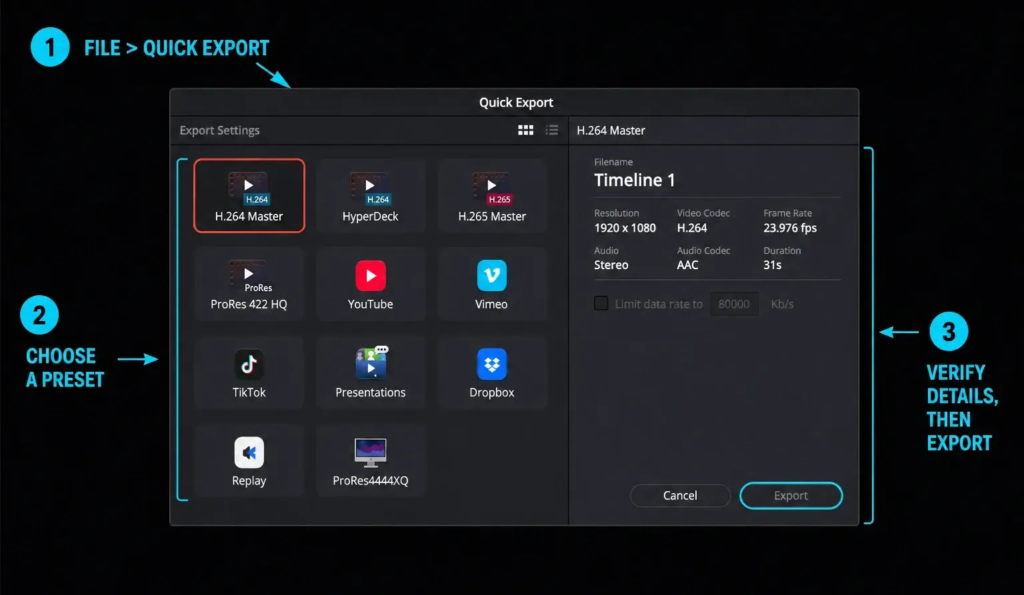
Editing isn’t quite finished when you make your last cut.
You still have to export the video.
Look at the available quality settings and choose something appropriate for the footage and platform.
If the quality is too low, the final video may look soft or blurry. If you choose unnecessarily large settings, the file may become much bigger than it needs to be.
You don’t have to choose the biggest number available.
A sensible setting that matches your original footage is usually enough for most beginner projects.
Practice With Short Videos
If you are learning, don’t begin with a one-hour project.
A short video is much easier to manage.
Take a handful of clips from your phone and make something around 30 seconds long. Arrange them, cut the boring sections, add a little text, adjust the music, and export it.
Then watch your result.
For the next project, change one thing.
Maybe your first video was too slow. Make the second one quicker. Perhaps the text was hard to read. Try a different size or position.
Small experiments add up surprisingly quickly.
Don’t Try to Learn Every Tool in One Day
Most editing apps contain more features than a beginner needs.
You don’t need to know all of them.
Learn one feature, use it a few times, and then move on.
You could start with trimming and splitting. Once those feel easy, learn captions. Then try audio adjustments. Later, you can explore color correction, keyframes, speed effects, or other advanced tools.
There is no benefit in knowing the name of twenty tools if you aren’t comfortable using the five you need most.
Let Your Own Style Develop
When you are new, it is normal for your editing to look influenced by the videos you watch.
That’s part of learning.
With practice, you will start discovering what you like.
Maybe you prefer clean cuts and very little text. Maybe you enjoy quick montages with music. Perhaps you like slow, simple videos with longer shots.
There isn’t one correct editing style.
Your preferences will probably change as you learn more, so don’t worry about finding your style immediately.
Common Mistakes to Watch Out For
Beginners often make similar mistakes, and most of them are easy to fix.
Using every clip is one. Adding too many transitions is another. Loud background music is also common, especially when someone is speaking.
Some people also spend hours adjusting tiny details before they have learned the basic workflow.
Try not to get stuck there.
Your early videos are practice projects. They don’t need to be perfect.
After finishing one, think about what bothered you. Was the beginning too slow? Was the text too small? Did the audio feel uneven?
Fix one or two of those things in your next video.
That is a much easier way to improve than trying to become an expert overnight.
Final Thoughts
Video editing can look complicated from the outside, but the basic process is quite manageable once you break it into smaller parts.
Start by deciding what you want the video to be about. Look through your footage, keep the useful clips, and remove the parts that slow things down. Learn to work with the timeline, make clean cuts, and pay attention to sound.
After that, you can gradually explore text, music, B-roll, speed changes, color adjustments, transitions, and other features.
You don’t need expensive equipment or a complicated editing setup to practice. Your phone clips are enough to get started.
And don’t worry if your first few videos feel a little rough. Editing is a skill that becomes easier through repetition. The more projects you finish, the quicker you’ll become at spotting unnecessary footage and making decisions.
Eventually, you stop thinking about every button and start thinking about the video itself.
That’s when editing begins to feel much more natural.
Good video editing isn’t about putting the maximum number of effects into a project. It’s about choosing the right moments, keeping the story easy to follow, making the sound comfortable, and removing anything that gets in the way.
Frequently Asked Questions.
1. What is video editing?
Video editing is the process of arranging, trimming, and improving video clips by adding music, text, transitions, effects, and other elements.
2. How can beginners start learning video editing?
Beginners can start by learning basic trimming, cutting, transitions, text, audio, and video export settings using a beginner-friendly editing tool.
3. What are the basic skills needed for video editing?
Basic skills include cutting clips, adjusting audio, adding text, using transitions, managing timelines, and choosing suitable video formats.
4. Which type of videos can beginners create?
Beginners can create short-form videos, social media reels, tutorials, vlogs, travel videos, educational content, and simple promotional videos.
5. How can I make my edited videos more engaging?
Use clear storytelling, remove unnecessary parts, keep the pacing suitable for the content, use readable text, and choose audio that complements the video.