
Choosing the right Adobe tool can feel overwhelming—especially when Adobe Creative Cloud offers so many powerful apps. From graphic design and photo editing to video production and document management, each Adobe tool is built for a specific purpose.
In this complete Adobe tools comparison, we’ll break down what each major Adobe app does, who it’s best for, key features, and how to choose the right one for your needs—without the confusion.
What Is Adobe Creative Cloud?
Adobe Creative Cloud is a subscription-based platform that gives users access to over 20 professional creative tools. These tools are widely used by designers, photographers, video editors, marketers, students, and businesses worldwide.
Instead of buying software once, Creative Cloud allows you to use the latest versions with regular updates, cloud storage, and cross-device syncing.
Major Adobe Tools Explained (One by One)
Adobe Photoshop – Best for Photo Editing & Digital Art
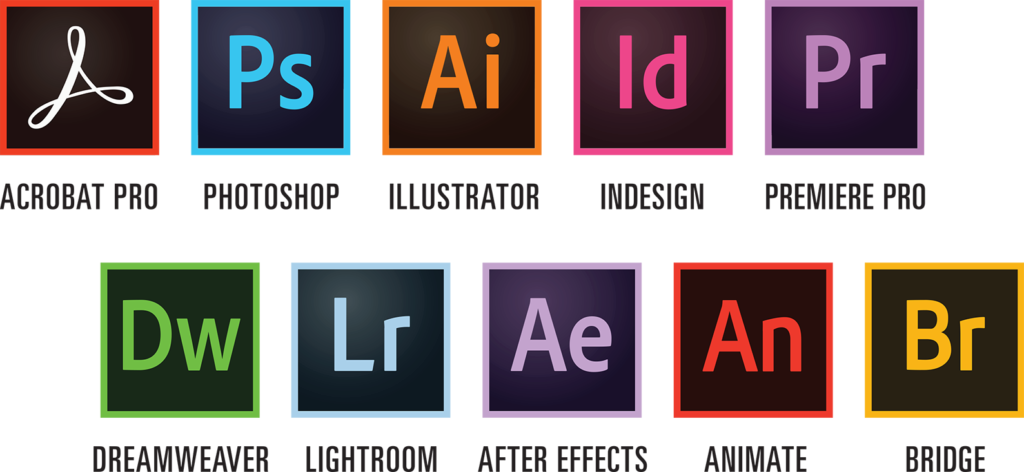
Best for: Photographers, designers, social media creators
Photoshop is Adobe’s most popular tool and the industry standard for photo editing. It’s used for everything from basic image retouching to advanced digital artwork.
Key Features:
- Photo retouching & manipulation
- Layer-based editing
- AI-powered tools (background removal, object selection)
- Web & social media graphics
Limitations:
Not ideal for vector graphics or multi-page layouts.
Adobe Illustrator – Best for Vector Graphics & Logos
Best for: Logo designers, illustrators, branding professionals
Illustrator is perfect for creating scalable designs that don’t lose quality—like logos, icons, and illustrations.
Key Features:
- Vector-based design
- Logo & icon creation
- Typography tools
- Infographic and branding design
Limitations:
Not suitable for photo editing.
Adobe InDesign – Best for Print & Publishing
Best for: Publishers, marketers, magazine designers
InDesign is designed for multi-page layouts such as magazines, brochures, ebooks, and reports.
Key Features:
- Page layout & typography control
- Print & digital publishing
- Master pages & styles
- Interactive PDFs
Limitations:
Not meant for image editing or illustration.
Adobe Lightroom – Best for Photo Management & Editing
Best for: Photographers, bloggers
Lightroom focuses on fast photo editing and organization, making it ideal for editing large batches of images.
Key Features:
- Non-destructive photo editing
- Presets & color grading
- Cloud syncing
- Image organization
Limitations:
Less advanced than Photoshop for detailed edits.
Adobe Premiere Pro – Best for Video Editing
Best for: YouTubers, filmmakers, content creators
Premiere Pro is a professional video editing tool used for films, ads, and online content.
Key Features:
- Timeline-based video editing
- Audio & color correction
- Multi-camera editing
- Integration with After Effects
Limitations:
Requires a powerful system for smooth performance.
Adobe After Effects – Best for Motion Graphics & VFX
Best for: Motion designers, animators
After Effects is used to create animations, visual effects, and cinematic titles.
Key Features:
- Motion graphics & animations
- Visual effects
- Text animation
- Advanced compositing
Limitations:
Not for basic video editing.
Adobe Acrobat – Best for PDF Management
Best for: Businesses, students, professionals
Acrobat is the go-to tool for creating, editing, and signing PDFs.
Key Features:
- PDF editing
- E-signatures
- File conversion
- Document security
Limitations:
Not a creative design tool.
Adobe Tools Comparison Table (Quick Overview)
| Adobe Tool | Best For | Skill Level |
|---|---|---|
| Photoshop | Photo editing & design | Beginner–Advanced |
| Illustrator | Logos & vector art | Intermediate–Advanced |
| InDesign | Print & digital layouts | Intermediate |
| Lightroom | Photo editing & organization | Beginner |
| Premiere Pro | Video editing | Intermediate–Advanced |
| After Effects | Motion graphics | Advanced |
| Acrobat | PDF editing | Beginner |
Which Adobe Tool Is Best for You?
- For social media & images: Photoshop
- For logos & branding: Illustrator
- For books & magazines: InDesign
- For photographers: Lightroom
- For YouTube & videos: Premiere Pro
- For animations & effects: After Effects
- For documents & PDFs: Acrobat
Beginners may start with Photoshop or Lightroom
Design professionals often use Photoshop + Illustrator + InDesign
Video creators usually combine Premiere Pro + After Effects
Should You Buy One Tool or the Full Creative Cloud?
If you only need one function (like photo editing or PDFs), a single-app plan is cost-effective.
But if you work across design, video, and content creation, the All Apps Creative Cloud plan offers the best value.
Final Thoughts
So, which Adobe tool is best?
The truth is—there’s no single “best” tool for everyone. Each Adobe app is built for a specific purpose, and the right choice depends on your goals, skill level, and creative needs.
The information provided in this article, “Which Adobe Tool Is Best? Complete Adobe Tools Comparison,” is for general informational and educational purposes only. All product names, logos, and brands mentioned are the property of their respective owners and are used for identification purposes only.
Adobe tools, features, pricing, and subscription plans may change over time. While we strive to keep the information accurate and up to date, we do not guarantee the completeness, reliability, or accuracy of any details mentioned. Readers are advised to visit the official Adobe website for the most current information before making any purchase decisions.
#AdobeTools #AdobeComparison #AdobeCreativeCloud #Photoshop #Illustrator #PremierePro #AfterEffects #AdobeSoftware #GraphicDesignTools #Carrerbook #Anslation #VideoEditingSoftware #PhotoEditingTools #CreativeTools #Anslation #Carrerbook #DesignSoftware #DigitalDesign